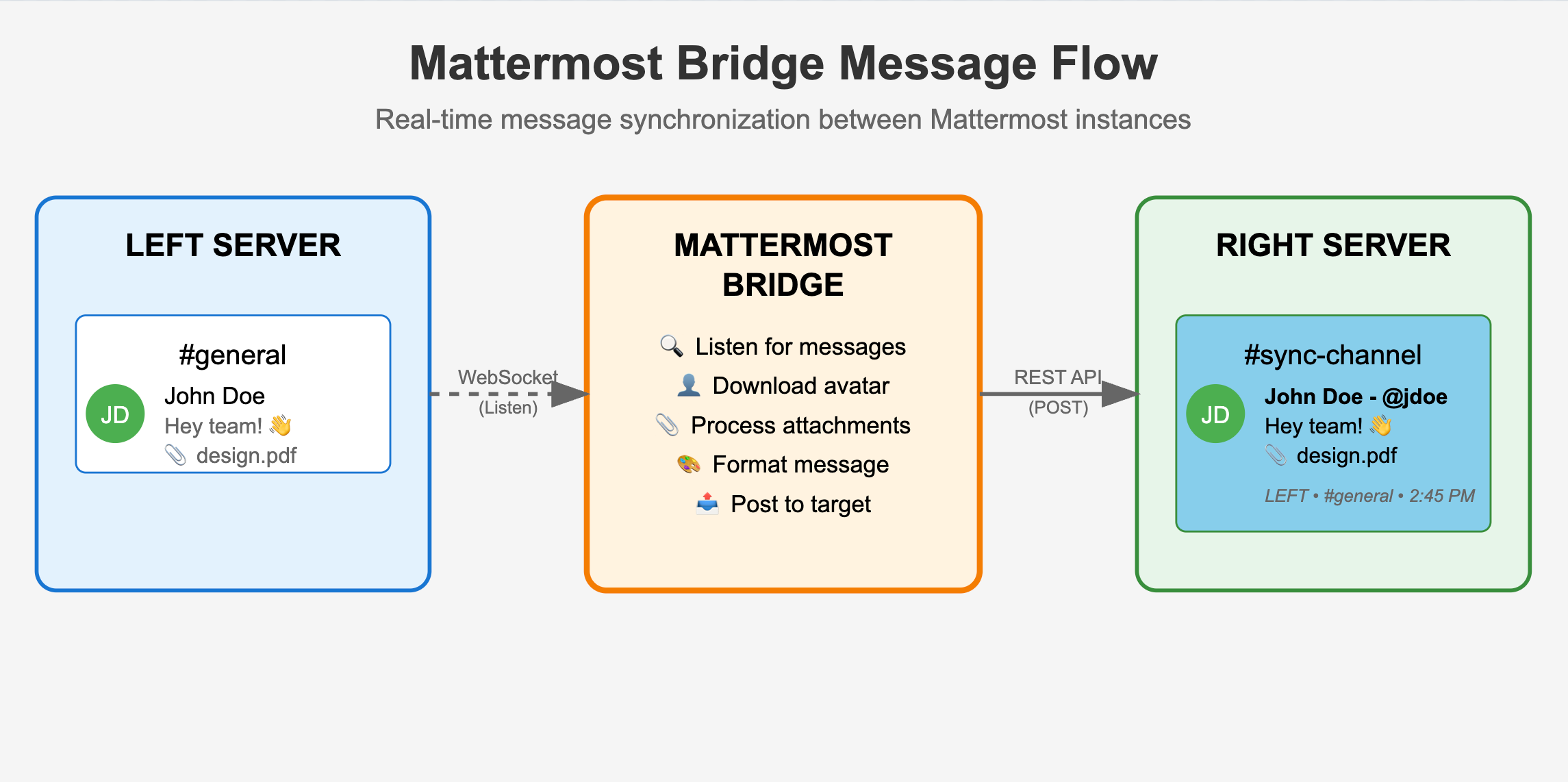
Mattermost Bridge: Consolidating Messages from Multiple External Servers
NOTE: Claude Opus 4 was used for the blog post and the project on github
https://github.com/cln-io/mattermost-bridge
Requirements
We needed a solution to monitor (multiple) external Mattermost instances and forward relevant messages to our primary Mattermost server.
The specific requirements were:
- Monitor specific channels on various external Mattermost servers (run 1 docker per external server, to be seen if I make it multi server compatible)
- Forward messages in real-time to designated channels on our main server
- Preserve message context (author, timestamp, origin server)
- Handle file attachments seamlessly
- Support MFA-enabled accounts
- Maintain professional appearance of forwarded messages
- Minimize manual configuration and maintenance
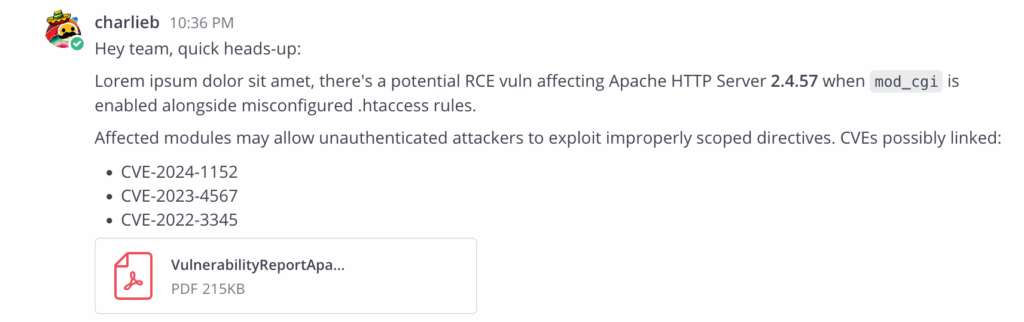
Screenshots
The left mattermost (the one we want to monitor messages on) has a user posting a message
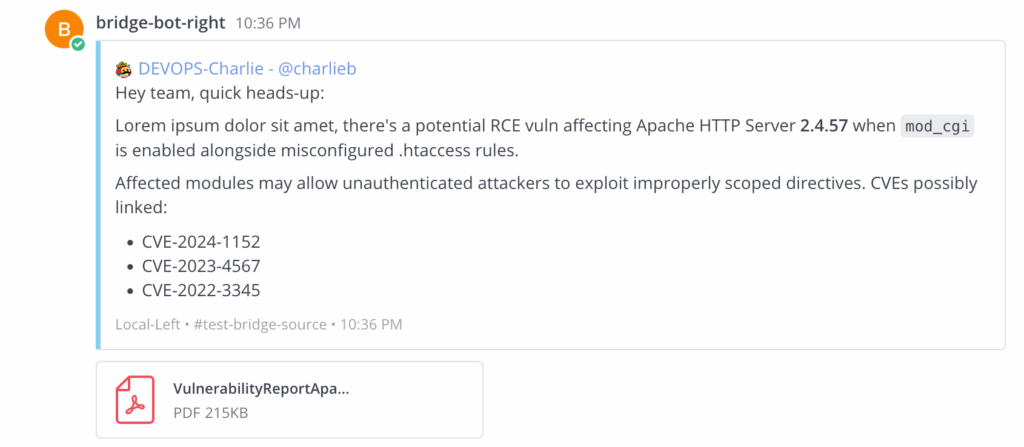
The bridge will mirror the message to the right mattermost (the destination mattermost)
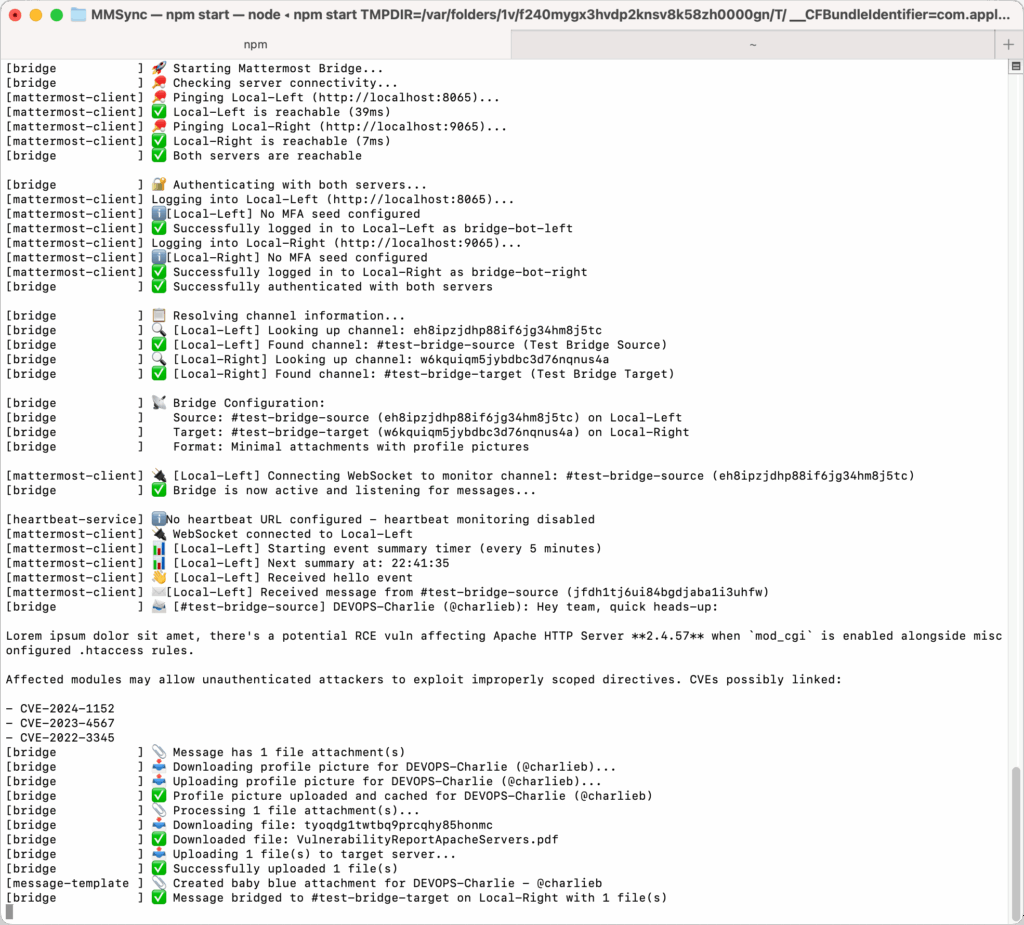
The console / app log:
Built-in Status Monitoring
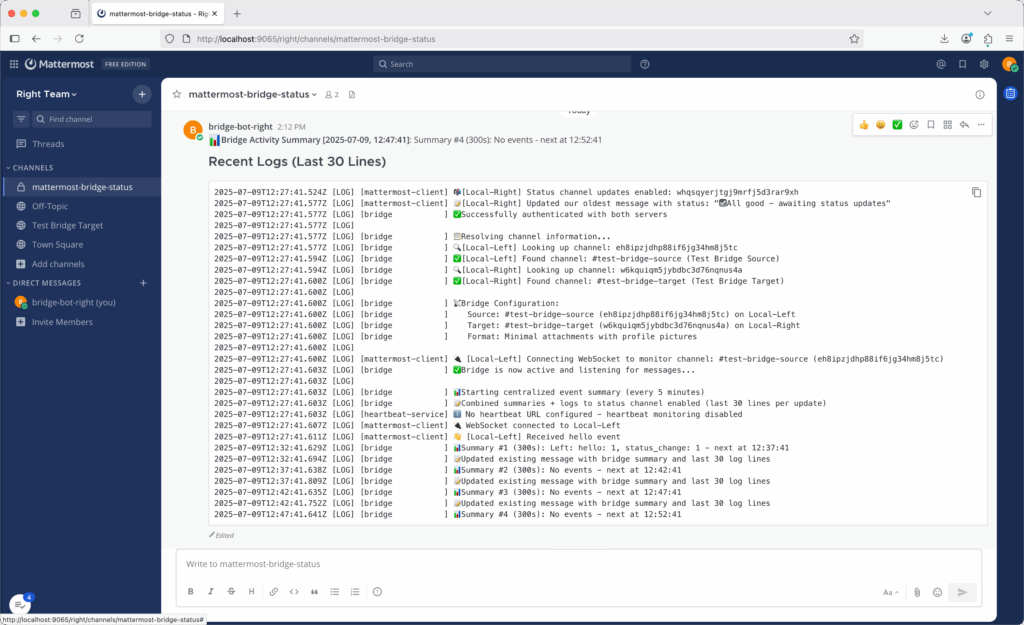
As we use mattermost on the fly, I don’t want to check dockerlogs to verify all is going well, so the bridge includes a built-in status channel that provides real-time monitoring of bridge activity and logs. When enabled with STATS_CHANNEL_UPDATES=logs, it creates a dedicated #mattermost-bridge-status channel that continuously updates with:
- Event summaries – Message counts and bridge activity
- Live log feed – Last 30 log lines updated every 10 minutes
- Single message updates – No channel spam, just one continuously updated status message
Solution
The Mattermost Bridge is a TypeScript application that connects to multiple Mattermost instances simultaneously and forwards messages between them.
Key Features
Real-time Message Forwarding
- WebSocket connections for instant message detection
- Automatic forwarding to configured target channels
- No polling delays or missed messages
Complete Context Preservation
- Original author name and profile picture
- Source server identification
- Original timestamps
- All file attachments re-uploaded to target server
Professional Message Presentation
- Forwarded messages appear as formatted attachments
- Clean blue styling distinguishes forwarded content
- Clear metadata showing origin and context
- Maintains readability in busy channels
Robust Architecture
- Automatic reconnection on network failures
- Profile picture caching to reduce API calls
- Configurable rate limiting
- Comprehensive error logging
