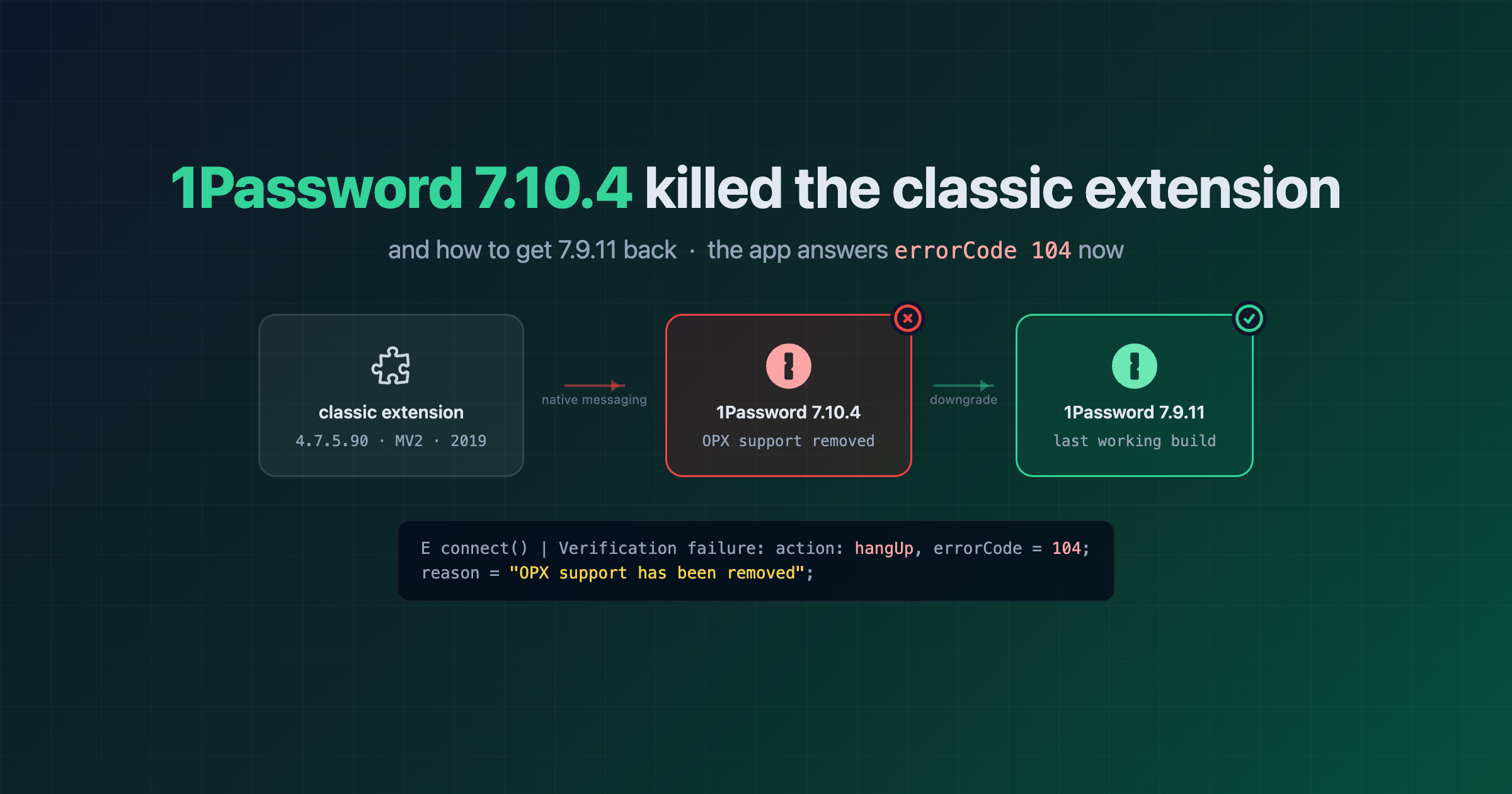
1Password 7.10.4 killed the classic extension (OPX removed) – get 7.9.11 back
My 1Password classic extension in Brave just stopped working. First guess: Brave/Chromium finally pulled the plug on Manifest V2 extensions (the classic 1Password extension is MV2 from 2019, see the old post). Nope. Brave still loads it just fine. It’s 1Password itself 🙃
1Password 7 for Mac auto-updated itself to 7.10.4 on Oct 6 2026, and that build (and 7.9.12) ship a kill switch for the classic extension. The app side now just hangs up on it:
1PasswordNativeMessageHost[6379:3527075] 71004002 [EXT_NMH:OPNMXPCConnection.swift] E connect() | Verification failure: [AnyHashable("action"): hangUp, AnyHashable("payload"): {
    errorCode = 104;
    reason = "OPX support has been removed";
}]
So this post is the 2026 sequel to the 2023 one: notes on what happened, which version still works, and where to get it (Wayback Machine + IPFS links to the official files, which, as of today, are still up on 1Password’s own CDN 🤷🏻♀️).
On this page
What actually happened
1Password 7.10.4 for Mac was released 2026-09-29 and the changelog says it right there: “Removes support for the 1Password Classic extension”. The classic extension talks to the desktop app over a protocol they call OPX, and the native messaging helper in 7.10.4 (and in the unlisted 7.9.12 build) now answers every connection with errorCode 104 / OPX support has been removed and disconnects. The WebSocket fallback on 127.0.0.1:6263 is gone too.
It is not the browser. Brave 1.97 (Chromium 155) still loads the original MV2 extension (aomjjhallfgjeglblehebfpbcfeobpgk, v4.7.5.90, last touched 2019) without complaint, I checked by loading it unpacked in a fresh profile. It just can’t get anything out of the app anymore.
You can see it straight in the binaries. 7.9.11 only has the “phase one” nag dialog, 7.9.12 and 7.10.4 have the actual kill switch:
H="Contents/Library/LoginItems/1Password Extension Helper.app/Contents/MacOS/1Password Extension Helper"

$ strings -a "1Password 7.app (7.9.11)/$H" | grep -i OPX
showOPXDeprecationAlert()
OPXDeprecationPhaseOneLastCheckKey
OPXDeprecationPhaseOneSuppressNotificationKey

$ strings -a "1Password 7.app (7.9.12)/$H" | grep -i OPX
OPX client disconnected
OPX Client connected
OPX support has been removed
showOPXDeprecationAlert()
OPXDeprecationPhaseTwoLastCheckKey
OPXDeprecationPhaseTwoSuppressNotificationKey
The updater log tells you when it got you (~/Library/Logs/1Password/com.agilebits.onepassword7-updater.log):
Sat Jul 29 14:58:39 2023| ... Extracting '.../1Password-7.9.11-1690635516.69.zip'
Tue Oct  6 14:00:07 2026| ... Extracting '.../1Password-7.10.4-1791288006.77.zip'
Three years of nothing, then one update whose headline “New” item is removing a feature. sigh.
Last working versions
macOS: 1Password 7.9.11 (last build without the kill switch, verified by actually diffing the helper binaries above). Notarized Developer ID, Team ID 2BUA8C4S2C, spctl says accepted.
- Official: 1Password-7.9.11.zip / 1Password-7.9.11.pkg
- Wayback: zip / pkg (or all snapshots)
- IPFS: zip
bafybeihbvd6f5p5wk7wr4enf4zeie33ahfwm43gxp7yheg6beoauspqf7m/ pkgbafybeienslllbsr7sfeyqm3ubbyd57pdyx5ijreytveaajtsob4wd6lvuy
Windows: 1Password 7.9.834, probably. Windows got its kill switch much earlier: people on the 1Password forum reported in Nov 2023 that 7.9.835 made the classic extension stop working in Chrome/Edge/Firefox on Windows, and rolling back to 7.9.834 fixed it. I can’t verify that myself (the Windows setup .exe is a 12MB bootstrapper that downloads the real payload), so ymmv.
- Official: 1PasswordSetup-7.9.834.exe
- Wayback: 1PasswordSetup-7.9.834.exe
- IPFS: 1PasswordSetup-7.9.834.exe
bafybeigqcdyktqvtt5tsokf5idavw7fc6l667p7neiefondmhuyfw24ayy
Checksums, so you can tell if whatever you downloaded is the real thing:
# sha256
11b14910a2cf0e544e317e49f4a62491e5190545ed684236a295f51d722f30db  1Password-7.9.11.zip
bf1919f5f4066feb7cb9013396e2f181a6fa36c56f5ca2ebac211191925132b8  1Password-7.9.11.pkg
7b578e42ced2e8a36855dd0984668622a508ad82eb33257dc9b8f1eb586bdd77  1PasswordSetup-7.9.834.exe
3d43ea28c46a1dac9cc645c5d9f4692cd1be009145ffe5260a910a2d9c89dd52  1PasswordSetup-7.9.835.exe
840e237adf8bc5d429c69467d9afc0407114310faac3af06b80faab72c342fda  1PasswordSetup-7.9.836.exe

# IPFS CIDs (cidv1, default chunker)
bafybeihbvd6f5p5wk7wr4enf4zeie33ahfwm43gxp7yheg6beoauspqf7m  1Password-7.9.11.zip
bafybeienslllbsr7sfeyqm3ubbyd57pdyx5ijreytveaajtsob4wd6lvuy  1Password-7.9.11.pkg
bafybeigqcdyktqvtt5tsokf5idavw7fc6l667p7neiefondmhuyfw24ayy  1PasswordSetup-7.9.834.exe
bafybeibc4ulkrxxegs5m23pka6ogbiivdbi5sinhgbifoddczhm5taqaci  1PasswordSetup-7.9.835.exe
bafybeib5elgzegrb4sqlb3a4basivmw4nsqtwrqxbstivs4uz2v7jklavq  1PasswordSetup-7.9.836.exe
# grab it over ipfs instead of a gateway
ipfs get bafybeihbvd6f5p5wk7wr4enf4zeie33ahfwm43gxp7yheg6beoauspqf7m -o 1Password-7.9.11.zip
shasum -a 256 1Password-7.9.11.zip
Downgrade to 7.9.11 on macOS
Your vaults live in ~/Library/Group Containers/2BUA8C4S2C.com.agilebits/, not in the app bundle, so swapping the .app is safe. Still, make a backup/export first, obviously.
# 1. quit 1Password 7 completely (menu bar icon too)
osascript -e 'quit app "1Password 7"'
pkill -f "1Password Extension Helper"

# 2. get + verify
curl -LO https://c.1password.com/dist/1P/mac7/1Password-7.9.11.zip
shasum -a 256 1Password-7.9.11.zip    # 11b14910a2cf...
ditto -x -k 1Password-7.9.11.zip ./op7911
spctl -a -vv "./op7911/1Password 7.app"   # source=Notarized Developer ID, AgileBits Inc. (2BUA8C4S2C)

# 3. swap
mv "/Applications/1Password 7.app" ~/Desktop/1Password-7.10.4-backup.app
mv "./op7911/1Password 7.app" /Applications/
open -a "1Password 7"
Then turn off automatic updates in 1Password 7 → Preferences → Updates, or it’ll just do it again. It’ll still show the “1Password Classic will stop working soon” alert now and then (that’s the “phase one” thing), harmless.
Obligatory: this is an unsupported, end-of-life password manager now. No more security fixes. I’m ok with that for my air-gapped stuff, you decide for yourself 😅
Porting the classic extension to Manifest V3
Brave still runs the MV2 extension today, but Chromium has dropped MV2 and that won’t last forever, so I had Claude port it to MV3 while at it. Turns out it’s tiny: the content script only uses runtime.sendMessage/onMessage, and the background script needs 4 changes. Copy ~/Library/Application Support/BraveSoftware/Brave-Browser/Default/Extensions/aomjjhallfgjeglblehebfpbcfeobpgk/4.7.5.90_0/ somewhere (delete the _metadata folder) and:
1. manifest.json: bump to v3, background becomes a service worker, browser_action → action, host patterns move to host_permissions, drop webRequestBlocking and update_url. Keep the key field! That’s what keeps the extension ID the same so the native messaging host manifest still allows it.
{
  "manifest_version": 3,
  "background": { "service_worker": "background.js" },
  "action": { "default_icon": { "19": "assets/toolbar.png", "38": "assets/[email protected]" }, "default_title": "1Password" },
  "permissions": [ "contextMenus", "nativeMessaging", "storage", "tabs", "webRequest" ],
  "host_permissions": [ "http://*/*", "https://*/*" ],
  "key": "...keep the original...",
  ...everything else unchanged...
}
2. background.js (new file), a shim because global.min.js expects window and chrome.browserAction:
// MV3 service-worker shim for the 1Password classic (4.x) extension.
self.window = self;
chrome.browserAction = chrome.action;
importScripts('ext/sjcl.js', 'global.min.js');
3. global.min.js, blocking webRequest redirects are gone in MV3. The onepasswdfill= URL handler returned {redirectUrl} from a blocking listener; make it a non-blocking listener that calls chrome.tabs.update instead:
// before
return h=a.tabId,r.kb({itemUUID:k.uuid,vaultUUID:k.vaultUUID,url:k.url,nakedDomains:null,uuid:t.J(),context:null},a.tabId),{redirectUrl:k.url}},{urls:['*://*/*onepasswdfill=*'],types:['main_frame']},['blocking']);
// after
h=a.tabId,r.kb({itemUUID:k.uuid,vaultUUID:k.vaultUUID,url:k.url,nakedDomains:null,uuid:t.J(),context:null},a.tabId),chrome.tabs.update(a.tabId,{url:k.url})},{urls:['*://*/*onepasswdfill=*'],types:['main_frame']});
4. global.min.js, context menus in service workers need an id and can’t use onclick:
// before
chrome.contextMenus.removeAll();chrome.contextMenus.create({title:'1Password',contexts:['all'],onclick:function(a){(a=a.pageUrl)?r.ha('context-menu',a):F(function(a){r.ha('context-menu',
a)})}})
// after
chrome.contextMenus.removeAll(function(){chrome.contextMenus.create({id:'1password',title:'1Password',contexts:['all']})});chrome.contextMenus.onClicked.addListener(function(a){'1password'===a.menuItemId&&((a=a.pageUrl)?r.ha('context-menu',a):F(function(a){r.ha('context-menu',
a)}))})
On my mac 1Password 7 had only written its native messaging host manifest for Chrome, Edge, Firefox and Arc, not for Brave, so copy it over:
cp "$HOME/Library/Application Support/Google/Chrome/NativeMessagingHosts/2bua8c4s2c.com.agilebits.1password.json" \
   "$HOME/Library/Application Support/BraveSoftware/Brave-Browser/NativeMessagingHosts/"
Remove the original extension in brave://extensions (same ID, Brave won’t load both), enable developer mode, “Load unpacked”, point it at the folder. Service worker starts, 1Password version 4.7.5 loaded, connects to the native host… and 7.10.4 hangs up with error 104. After downgrading to 7.9.11, same extension, same Brave 1.97:
[console.info] 1Password version 4.7.5 loaded @ Thu Oct 22 2026 16:55:40
[console.info] [CHROME]: Established connection to 1Password: [object NativeMessagingConnection]
1PasswordNativeMessageHost[21512] 70911000 [EXT_NMH:OPNMXPCConnection.swift] E connect() | Connection Established
So yes: a 2019 Manifest V2 extension, 4 small patches, runs fine as MV3 on a 2026 Chromium. The only thing that was ever “broken” is the app refusing to talk to it 🎉
Every 1Password 7 build ever
1Password still has full release histories with download links up, they’re just not linked from anywhere anymore:
- Mac 7: product_history/OPM7 (wayback), 49 builds listed, 103 files on the CDN if you also probe for the .zip variants and the unlisted 7.9.7 / 7.9.12
- Windows 7: product_history/OPW6 (wayback), 130 builds of 7.x
- Classic extension: product_history/OPX4 (download links removed, use the old post)
- Other product codes that still resolve: OPM3, OPM4, OPM8, OPW4, OPW8, CLI, CLI2, OPB
Quick and dirty way to pull every link from one of those pages:
curl -s https://app-updates.agilebits.com/product_history/OPM7 \
  | grep -oE 'href="[^"]+\.(zip|pkg|exe)"' | sed 's/^href="//;s/"$//' | sort -u
This post was written with the help of Claude (Fable 5.1), Anthropic’s AI assistant, which also did the binary spelunking and the MV3 port.
