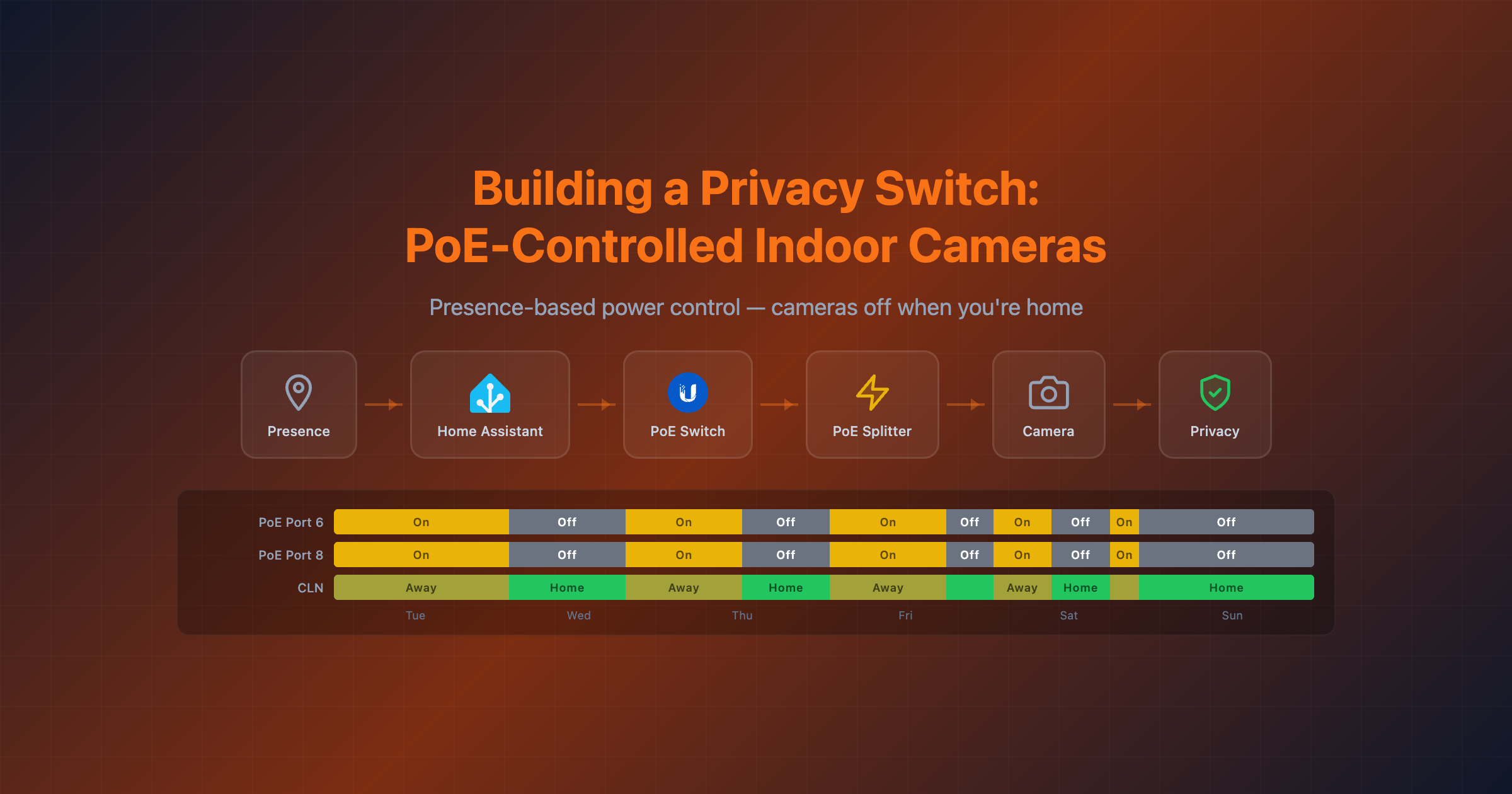
Building a Privacy Switch: Control Indoor Cameras Using PoE Injectors in Home Assistant
I have a bunch of indoor cameras to keep an eye on my pet and monitor my home when I’m away. They work great for that. But when I’m home, I want the mental peace of knowing those cameras are physically off — not just toggled to some software “privacy mode” that I have to trust actually works.
My cameras aren’t PoE-native — they’re regular USB-powered indoor cameras. But by powering them through PoE splitters (PoE in, USB-C/Micro USB out) connected to a managed UniFi switch, I get a hardware kill switch: cut the PoE port, cut the camera. No firmware trust required.
The Concept
A PoE injector feeds power over the Ethernet cable. A managed PoE switch can toggle power to individual ports. If the port is off, the camera is a paperweight — no power means no CPU, no recording, no network activity. Even if your cameras have a software privacy toggle, this is the only way to guarantee they’re off.
The logic is dead simple:
- You’re home → PoE ports OFF → cameras have zero power
- You leave → PoE ports ON → cameras boot up and record
What You Need
- Home Assistant with the UniFi Network integration
- A managed UniFi PoE switch (I use the USW Flex 2.5G 8 PoE)
- One or more PoE-powered cameras
- Presence detection set up (phone tracker, router integration, etc.)
Setup
1. UniFi Network Integration
Once you add the UniFi Network integration in Home Assistant, it automatically exposes switch entities for each PoE port on your managed switches. You’ll see entities like:
switch.usw_flex_2_5g_8_poe_port_6_poe
switch.usw_flex_2_5g_8_poe_port_8_poe
Turning these switches off kills power to whatever is plugged into that port. Turning them on restores it.
2. The Automation
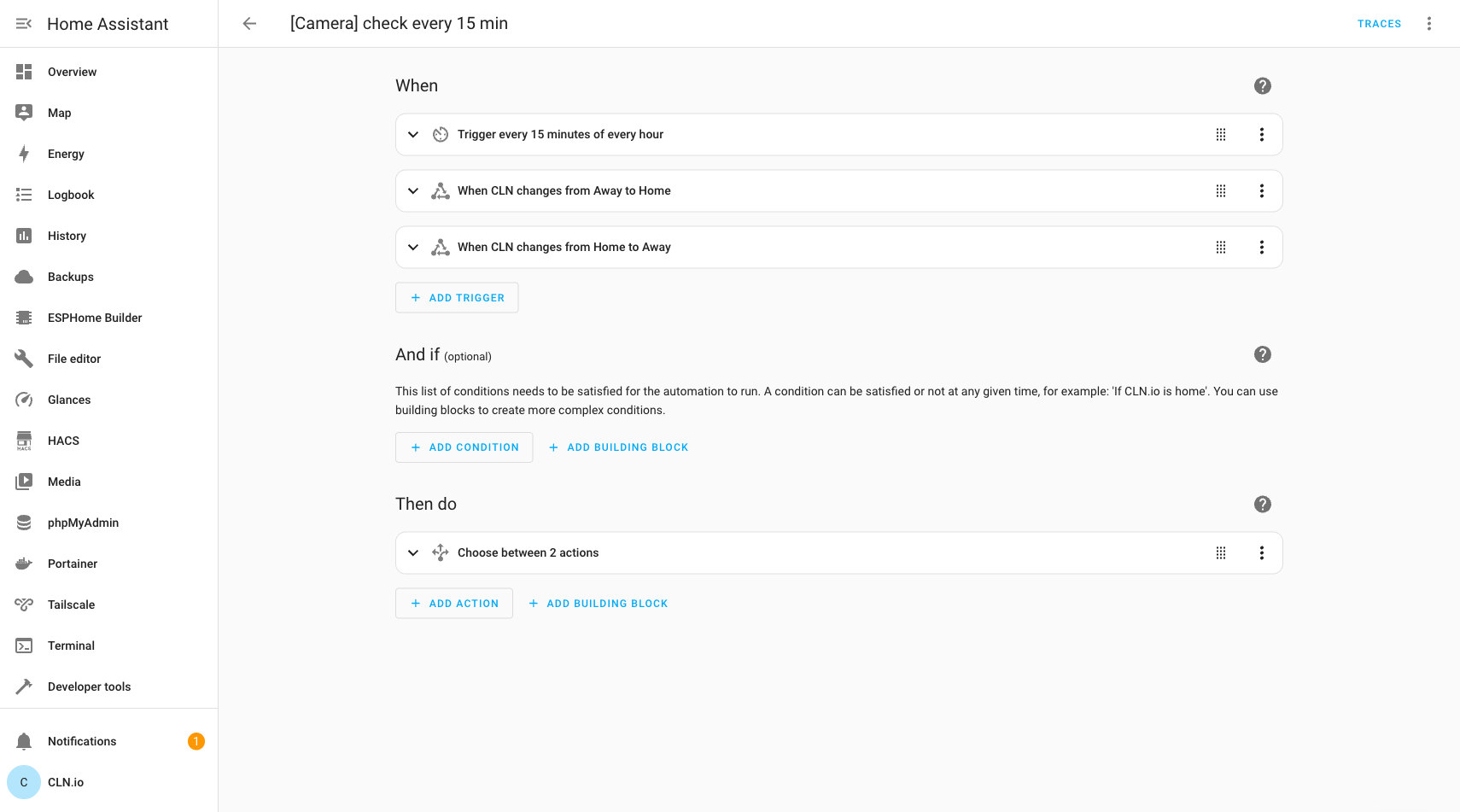
Create an automation that reacts to presence changes and also polls every 15 minutes as a safety net. Here’s what the triggers look like in the HA automation editor:
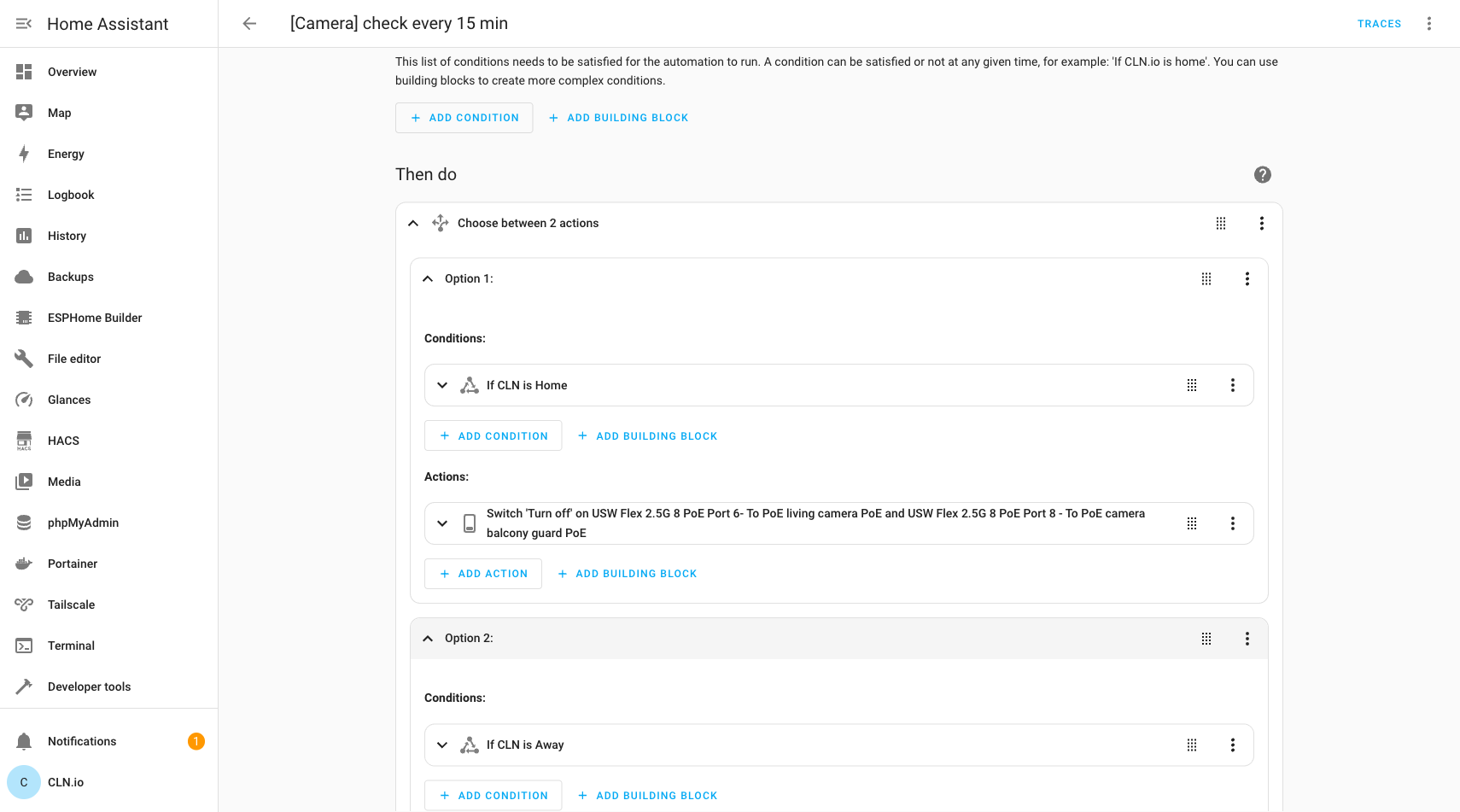
The action uses a Choose block with two options — one for when I’m home (turn off PoE) and one for when I’m away (turn on PoE):
Here’s the full YAML:
alias: "[Camera] check every 15 min"
triggers:
  - trigger: time_pattern
    minutes: /15
  - trigger: state
    entity_id: person.your_name
    from: not_home
    to: home
  - trigger: state
    entity_id: person.your_name
    from: home
    to: not_home
conditions: []
actions:
  - choose:
      - conditions:
          - condition: state
            entity_id: person.your_name
            state: home
        sequence:
          - action: switch.turn_off
            target:
              entity_id:
                - switch.your_poe_port_1
                - switch.your_poe_port_2
      - conditions:
          - condition: state
            entity_id: person.your_name
            state: not_home
        sequence:
          - action: switch.turn_on
            target:
              entity_id:
                - switch.your_poe_port_1
                - switch.your_poe_port_2
mode: single
3. Why the 15-Minute Poll?
The state-change triggers handle the instant you arrive or leave. But what if Home Assistant restarts, or a trigger gets missed, or presence detection briefly flickers? The 15-minute time pattern acts as a reconciliation loop — it checks the current state and corrects the PoE ports if they’ve drifted.
Proof It Works
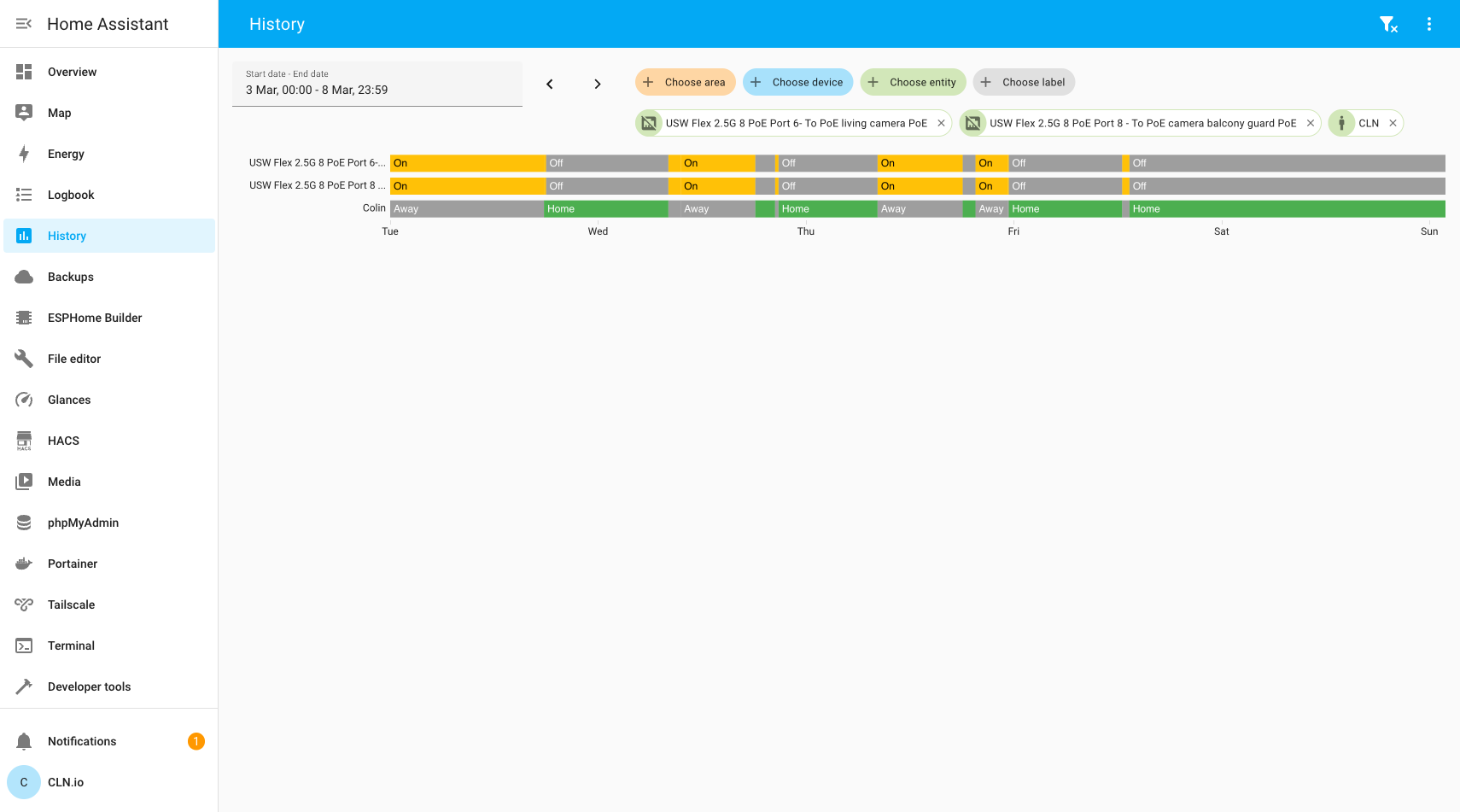
Here’s a week of history from my Home Assistant instance. The top two rows are the PoE switch ports, the bottom row is my presence. You can see the perfect correlation — every time I come home, the PoE ports switch off. Every time I leave, they switch on:
Why This Beats Software Privacy Mode
- Zero trust required — you don’t need to trust camera firmware, cloud services, or software toggles. No power = no function.
- Auditable — you can check the PoE port state in Home Assistant at any time. The switch is either on or off.
- Works with any PoE camera — brand doesn’t matter. If it’s powered by PoE, this works.
- Simple to debug — if the camera is on when it shouldn’t be, check one automation and two switch entities.
Trade-offs
- Boot time — PoE cameras take 30-60 seconds to boot when power is restored. There’s a brief window after you leave where the cameras aren’t recording yet.
- Wear — frequent power cycling is harder on hardware than leaving it running 24/7, though modern PoE cameras handle this fine.
- Recording gap — if someone arrives right as you leave, there’s a short gap before recording starts. For most home use, this is an acceptable trade-off for guaranteed privacy when you’re home.
Conclusion
The best privacy mode is no power. By using Home Assistant’s UniFi integration to control PoE switch ports based on presence, you get hardware-enforced camera privacy with zero reliance on software promises. It’s simple, auditable, and works with any PoE camera — no special firmware or cloud integration needed.
This post was written with the help of Claude (Opus 4), Anthropic’s AI assistant.
